



 Over 1.000 comments

Here’s What You Get:
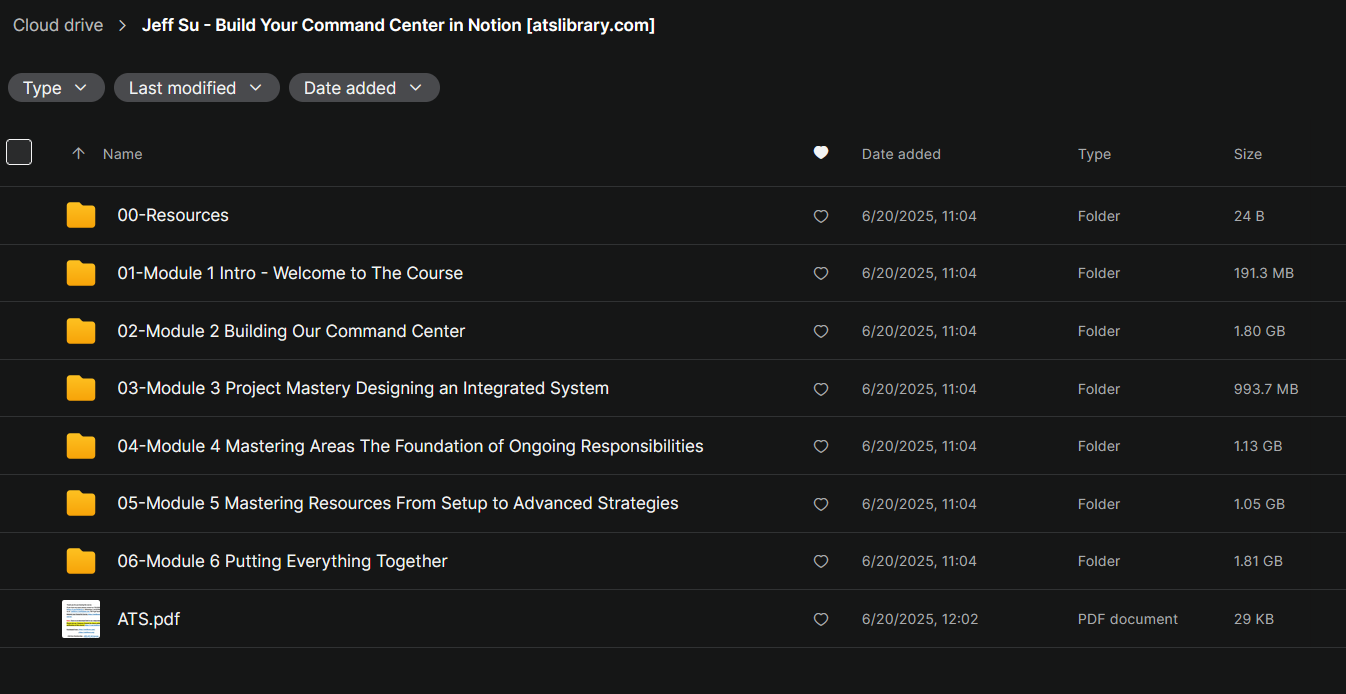
Go from overwhelmed to organized with a proven system that keeps your work and life in sync. I take out all the guesswork by walking you through step-by-step on how to build a comprehensive Command Center in Notion!
Learning Points
Productivity, Organization, Information Management
Learning Materials
Essential templates for life and work
Total Duration of Videos
About 5 hours
Viewing Restrictions
Unlimited Time and Access
Available Devices
Desktop, Mobile
Charge Type
One-off Payment
MODULE 1:
Lesson 1 – Welcome to Your Notion Command Center
Lesson 2 – Command Center in Action
Lesson 3 – Take What You Need and Leave The Rest
MODULE 2:
Lesson 1 – From Blank Page to Command Center
Lesson 2 – Make Time: Building Your Daily Focus System
Lesson 3 – Tasks: Building Your Action Engine
Lesson 4 – Task Management: Daily and Weekly Workflow
Lesson 5 – Notes: Setting up Your Knowledge Hub
MODULE 3:
Lesson 1 – Introducing the Projects Database
Lesson 2 – The Power of Relations
Lesson 3 – Project Management: Creating Visual Views
MODULE 4:
Lesson 1 – Introducing Areas
Lesson 2 – Diving Deeper into Areas
Lesson 3 – Personalized Area Management
MODULE 5:
Lesson 1 – Getting Started with Resources
Lesson 2 – Resources Database: Structure and Components
Lesson 3 – Resources in Action: Real-World Examples
Lesson 4 – Advanced Techniques for Resources
MODULE 6:
Lesson 1 – Final Touches for Your Command Center
Lesson 2 – Your Command Center Routine
Lesson 3 – Simple Case Study: Integrating Templates into Your Command Center
Lesson 4 – Advanced Case Study: Building a Custom Mini-Workflow
Lesson 5 – Thank you & Next Steps





Reviews
There are no reviews yet.